
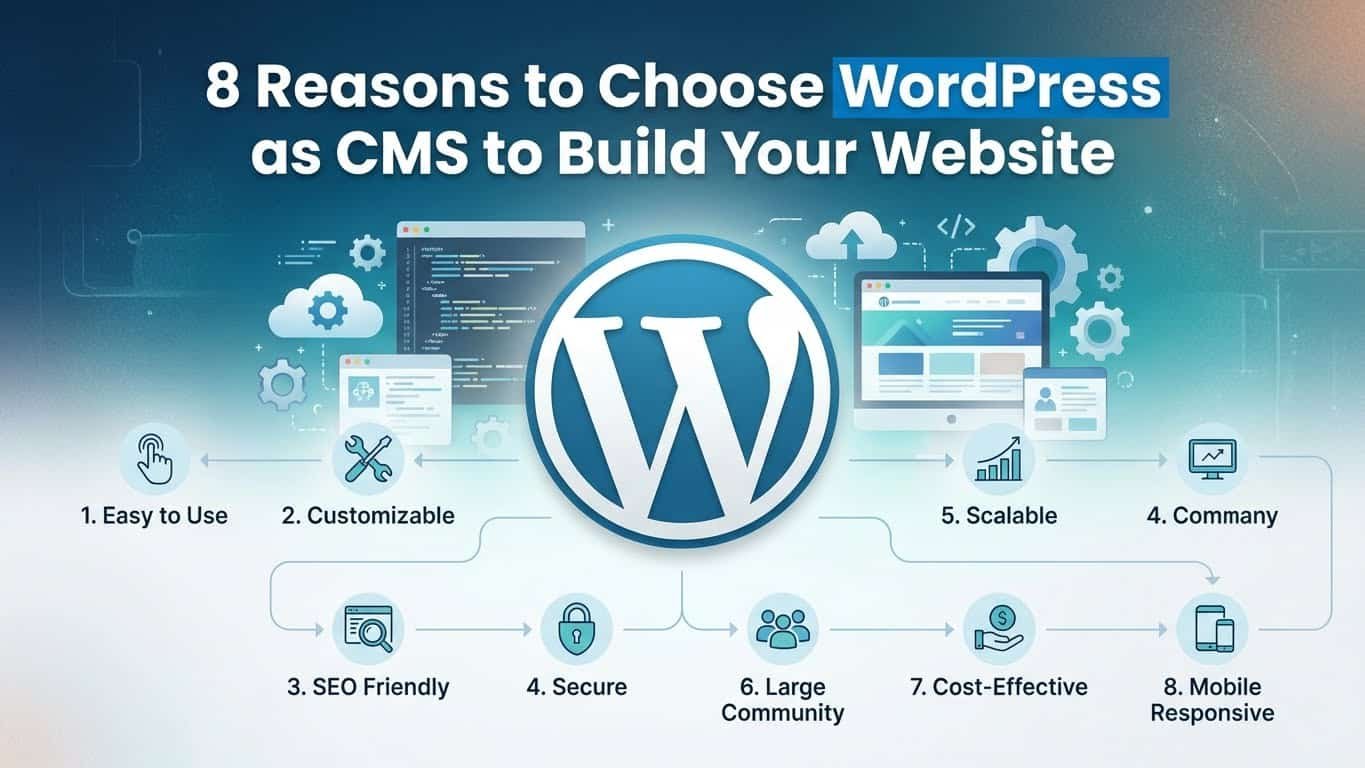
8 Reasons to Choose WordPress as CMS
Choosing the right Content Management System (CMS) is one of the most critical decisions you’ll make when building a website. Your CMS serves as the foundation of your online presence, affecting everything from daily content updates to long-term scalability. Make the wrong choice, and you could face costly migrations, limited functionality, or a steep learning curve that hampers your growth.
Among the dozens of CMS options available today, WordPress stands as the undisputed leader. This isn’t mere popularity—it’s dominance backed by real numbers. As of 2024, WordPress powers over 43% of all websites on the internet. That’s nearly half of the entire web. More specifically, WordPress commands approximately 63% of the CMS market share, leaving competitors like Shopify, Wix, and Joomla far behind.
With over 835 million active websites running on WordPress and more than 75 million downloads of the core software, the platform has proven its reliability across every industry imaginable. From personal blogs and small business websites to major publications like TechCrunch, The New Yorker, and even enterprise sites for Sony Music and Microsoft News, WordPress demonstrates versatility that few platforms can match.
But statistics alone don’t tell the complete story. The real question is: why do millions of website owners, developers, and businesses consistently choose WordPress over alternatives? In this comprehensive guide, we’ll explore eight compelling reasons that make WordPress the smart choice for your website, regardless of your technical skill level or business objectives.
What is WordPress?
Before diving into the specific advantages, let’s establish a clear understanding of what WordPress actually is.
WordPress is an open-source content management system that allows you to create, manage, and publish digital content without needing to write code. Originally launched in 2003 as a simple blogging platform, WordPress has evolved into a powerful, full-featured CMS capable of powering any type of website imaginable—from personal portfolios and corporate websites to online stores and membership platforms.
WordPress.com vs WordPress.org: Understanding the Difference
One common point of confusion for newcomers involves the distinction between WordPress.com and WordPress.org. While they share the same core technology, they serve different purposes.
WordPress.org is the self-hosted, open-source software that most people refer to when discussing WordPress. You download the software for free, install it on your own web hosting service, and maintain complete control over your website. This version offers unlimited customization, full access to plugins and themes, and complete ownership of your content and data. When industry professionals recommend WordPress, they’re typically referring to the WordPress.org version.
WordPress.com, on the other hand, is a hosted service managed by Automattic, the company founded by WordPress co-creator Matt Mullenweg. It handles the technical aspects of hosting and maintenance for you, but comes with restrictions on customization, plugins, and monetization unless you upgrade to premium plans. Think of it as a simplified, somewhat limited version designed for users who want maximum convenience over flexibility.
Why WordPress Dominates the CMS Market
WordPress became the world’s most popular CMS through a combination of factors: its open-source nature encourages constant improvement by thousands of developers worldwide, its flexibility allows it to adapt to virtually any use case, and its enormous community provides support, documentation, and resources that make the platform accessible to everyone. This ecosystem effect creates a virtuous cycle—more users lead to more developers, which leads to better tools, which attracts even more users.
8 Reasons to Choose WordPress as CMS
1. Easy to Use — Even Without Coding
One of WordPress’s greatest strengths is its accessibility to non-technical users. You don’t need programming knowledge to create and manage a professional website. The WordPress dashboard presents a clean, intuitive interface that organizes all essential functions logically. Adding new pages, publishing blog posts, uploading images, and managing comments require no more technical skill than using email or social media.
The platform’s famous “5-minute installation” has made setup remarkably straightforward. Most hosting providers now offer one-click WordPress installation, meaning your website can be live within minutes of signing up for hosting. Once installed, the learning curve remains gentle, with clear labels and helpful tooltips guiding users through each function.
Modern page builders have further simplified the design process. Tools like Elementor, Divi, and WordPress’s native Gutenberg block editor provide drag-and-drop functionality that makes website design as intuitive as arranging furniture in a room. You can see changes in real-time, move elements around visually, and create complex layouts without touching a single line of code.
These visual editors include pre-designed templates and content blocks for common website elements—contact forms, image galleries, pricing tables, testimonials, and more. Rather than starting from scratch, you can select a template that matches your vision and customize it to fit your brand. This approach dramatically reduces the time and technical knowledge required to launch a professional-looking website.
2. Highly Customizable & Flexible
WordPress’s flexibility distinguishes it from rigid website builders that force you into predetermined structures. The platform adapts to your needs rather than forcing you to adapt to its limitations.
The WordPress Theme Repository contains over 11,000 free themes covering every imaginable style and industry. From minimalist portfolios to magazine-style news sites, from restaurant menus to photography showcases, you’ll find professionally designed themes ready to install. Beyond the free options, premium theme marketplaces like ThemeForest offer tens of thousands of additional choices, many including advanced features and dedicated support.
These themes aren’t just about aesthetics. Modern WordPress themes are built with customization in mind, offering extensive options to modify colors, fonts, layouts, and functionality without editing code. The WordPress Customizer provides a live preview interface where you can see changes instantly before publishing them.
For those with specific needs, WordPress allows unlimited customization. The platform’s open architecture means developers can modify literally any aspect of a WordPress site. Custom post types let you organize content beyond standard posts and pages. Custom fields allow you to add any type of metadata to your content. Custom templates enable unique layouts for specific pages or sections.
This flexibility extends to functionality as well. WordPress doesn’t assume what features you need—instead, it provides the framework to add precisely the features your project requires, no more and no less. A local bakery needs different functionality than a software-as-a-service company, and WordPress accommodates both equally well.
3. Thousands of Plugins for Any Feature
If themes control how your site looks, plugins control what it can do. This is where WordPress truly shines. The official WordPress Plugin Repository contains over 60,000 free plugins, with thousands more available through premium marketplaces. This vast ecosystem means that virtually any feature you can imagine has already been built by someone.
Need to improve your SEO? Plugins like Rank Math and Yoast SEO provide comprehensive optimization tools. Want to secure your site? Wordfence, Sucuri Security, and iThemes Security offer robust protection. Looking to build an email list? Mailchimp, OptinMonster, and ConvertKit integrate seamlessly. The list continues endlessly.
This plugin architecture eliminates the need to build features from scratch or hire developers for common functionality. Adding a contact form takes minutes with plugins like WPForms or Contact Form 7. Creating an appointment booking system requires just installing plugins like Bookly or Amelia. Building a membership site becomes manageable with MemberPress or Restrict Content Pro.
The plugin ecosystem also means WordPress evolves with technology. As new needs emerge—social media integration, mobile optimization, voice search compatibility, artificial intelligence features—developers create plugins to address them. Your WordPress site never becomes outdated because the platform constantly expands its capabilities through this community-driven development model.
Quality varies among plugins, but WordPress’s rating and review system helps users identify reliable options. Most established plugins offer extensive documentation, video tutorials, and support forums, making implementation straightforward even for complex features.
4. SEO-Friendly and Google Approved
Search engine optimization determines whether potential visitors find your website, making it critical for online success. WordPress’s architecture is inherently SEO-friendly, providing a solid foundation that search engines love.
Google has publicly acknowledged WordPress as an excellent choice for websites, with former Google search quality team leader Matt Cutts stating that WordPress handles SEO exceptionally well. The platform generates clean, semantic code that search engines can easily crawl and index. URLs are structured logically, making it clear what content each page contains. The platform automatically creates XML sitemaps that help search engines discover all your content efficiently.
WordPress’s SEO advantages extend beyond technical implementation. The platform makes it simple to optimize individual pieces of content for search. Built-in features allow you to customize title tags, meta descriptions, and URL slugs for every page and post. The Gutenberg editor includes heading hierarchy that helps structure content logically for both readers and search engines.
SEO plugins take optimization even further. Rank Math and Yoast SEO provide real-time analysis as you write, suggesting improvements for readability, keyword usage, and technical optimization. These tools check for issues like missing alt text on images, duplicate content, broken links, and thin content—all factors that affect search rankings.
Page speed, another crucial SEO factor, can be optimized through caching plugins like WP Rocket or W3 Total Cache. Image optimization plugins compress files without sacrificing quality, improving load times. Mobile responsiveness, which Google considers in rankings, is standard in modern WordPress themes.
The platform’s flexibility also allows implementation of advanced SEO strategies. Schema markup for rich snippets, breadcrumb navigation, canonical URLs, and redirect management are all achievable through plugins or code, giving you complete control over how search engines interpret your content.
5. Affordable and Cost-Effective
Budget considerations influence every business decision, and WordPress delivers exceptional value. As open-source software, WordPress itself costs nothing. You can download, install, use, and modify it without paying licensing fees, regardless of your site’s size or revenue.
Your primary costs involve web hosting and a domain name—expenses you’d incur with any website platform. Shared hosting plans suitable for small to medium WordPress sites start around five to fifteen dollars monthly. As your site grows, you can upgrade to more robust hosting solutions. Even enterprise-level WordPress hosting remains affordable compared to proprietary CMS platforms that charge based on features, users, or traffic.
The availability of free themes and plugins further reduces costs. Thousands of professional-quality themes and essential plugins cost nothing, allowing you to build a fully functional website on a minimal budget. Even premium themes and plugins are typically one-time purchases ranging from twenty to two hundred dollars—far less than custom development costs.
Development and maintenance expenses also tend to be lower with WordPress. The platform’s popularity means developers are abundant and competitive pricing exists. Many routine tasks require no developer at all, thanks to user-friendly interfaces and extensive documentation. When you do need professional help, the large WordPress developer community ensures you can find qualified assistance at various price points.
For startups and small businesses operating on tight budgets, this cost structure provides immense value. You can launch a professional website for a few hundred dollars rather than tens of thousands. As your business grows and you can afford premium themes, specialized plugins, or custom development, WordPress scales with you—but it never forces expensive upgrades to maintain basic functionality.
Even enterprise organizations benefit from WordPress’s cost-effectiveness. Major corporations can build sophisticated web presences without the six-figure budgets proprietary enterprise CMS platforms typically demand.
6. Ideal for Blogging & Content Publishing
WordPress began life as a blogging platform, and that heritage shows in its exceptional content management capabilities. The platform was designed by people who publish content regularly, and it shows in every aspect of the publishing workflow.
Creating and publishing content is remarkably straightforward. The WordPress editor provides a clean, distraction-free writing environment with formatting tools that feel familiar to anyone who’s used word processing software. You can draft posts, save them for later, schedule publication for specific dates and times, or publish immediately with a single click.
Organizational features help manage content as your site grows. Categories allow you to group related content broadly, while tags enable more specific topic associations. This taxonomy system helps visitors find related content and improves site navigation. Custom taxonomies extend this functionality for specialized content organization needs.
WordPress’s media library manages all your images, videos, and documents in one central location. You can organize media into folders, search by filename, and insert media into content with simple point-and-click actions. Automatic image resizing creates multiple versions of uploaded images, ensuring fast page loads without manual optimization.
The editorial workflow supports multiple users with defined roles. Authors can draft content, editors can review and refine it, and administrators control publication—perfect for blogs with multiple contributors or organizations requiring content approval processes. Comments enable reader engagement, with moderation tools controlling spam and inappropriate content.
Revision history automatically saves every change to your content, allowing you to revert to previous versions if needed. This safety net encourages experimentation and protects against accidental deletions. Bulk editing capabilities let you modify multiple posts simultaneously, saving time when updating categories, tags, or other attributes.
For publishers, these features make WordPress unmatched. News sites, magazines, corporate blogs, and personal bloggers all benefit from tools specifically designed for regular content publication.
7. Supports Ecommerce Through WooCommerce
WordPress’s flexibility extends to online retail through WooCommerce, a powerful ecommerce plugin that transforms any WordPress site into a full-featured online store. WooCommerce powers over 28% of all online stores worldwide, making it the most popular ecommerce platform globally.
WooCommerce provides everything needed to sell products or services online. Physical products, digital downloads, subscriptions, memberships, and bookings are all supported. The setup wizard guides you through initial configuration, including payment gateway selection, shipping options, and tax settings.
Product management is intuitive, with options to add unlimited products, create product variations (sizes, colors, etc.), set sale prices, and manage inventory. Each product can have multiple images, detailed descriptions, and custom attributes. Product categories and tags organize your catalog, helping customers find what they need.
Payment processing integrates with major gateways including PayPal, Stripe, Square, and dozens of others. Customers can pay with credit cards, debit cards, digital wallets, or alternative payment methods depending on which gateways you enable. All major currencies are supported, with automatic conversion if needed.
Shipping configuration accommodates various scenarios. You can offer free shipping, flat-rate shipping, weight-based shipping, or real-time carrier calculations from providers like UPS, FedEx, and USPS. Multiple shipping zones allow different rates for different locations. Local pickup, delivery, and digital product delivery are all supported.
The ecommerce ecosystem around WooCommerce rivals the core WordPress plugin repository. Thousands of WooCommerce-specific extensions add features like advanced shipping rules, subscription management, bookings and appointments, product bundles, custom product options, and sophisticated reporting. Major email marketing services, accounting software, and inventory management systems integrate directly.
For businesses, WooCommerce provides enterprise-level ecommerce capabilities without enterprise-level costs. You own your store data, control the customer experience completely, and pay no transaction fees beyond standard payment processing rates. This makes it ideal for businesses of any size looking to sell online.
8. Scalable & Future-Proof
Perhaps WordPress’s most valuable characteristic is its ability to grow with your needs. A platform that works today but limits tomorrow is a platform that eventually requires costly migration. WordPress avoids this trap through inherent scalability.
Small personal blogs run on WordPress. So do high-traffic sites serving millions of visitors monthly. The platform handles both scenarios equally well, scaling vertically through better hosting and horizontally through performance optimization and caching. Sites like TechCrunch, The New York Times Company properties, and Sony Music demonstrate WordPress’s enterprise capabilities.
This scalability isn’t just about traffic handling. As your business evolves, your website needs evolve. You might start with a simple blog, later add an online store, eventually incorporate a membership area, and finally integrate with custom applications. WordPress accommodates this growth through its extensible architecture. You’re never locked into your initial implementation.
The platform’s longevity suggests it will remain relevant far into the future. After two decades of development, WordPress shows no signs of decline. Regular updates maintain security and compatibility with evolving web standards. The community’s size ensures continued development, support, and innovation.
WordPress’s open-source nature also protects your investment. Proprietary platforms can discontinue features, raise prices arbitrarily, or even shut down completely—leaving you scrambling for alternatives. Open-source software can’t be discontinued because no single entity controls it. Even if Automattic stopped supporting WordPress tomorrow, the community would continue development.
The platform embraces new technologies rather than resisting them. Mobile responsiveness, progressive web apps, headless CMS architecture, REST API integration—WordPress adapts to these trends through core updates and the plugin ecosystem. Your WordPress site won’t become outdated because the platform evolves with the web itself.
Bonus Benefits
Beyond the eight primary reasons outlined above, WordPress offers numerous additional advantages worth mentioning.
Mobile responsiveness is standard in modern WordPress themes. Your site automatically adapts to smartphones, tablets, and various screen sizes without additional configuration. This mobile-first approach aligns with how most people now access the web.
Community support provides assistance whenever you encounter challenges. The WordPress community includes millions of developers, designers, and users worldwide. Free support forums, extensive documentation, countless tutorials, active social media groups, and local meetups mean help is always available. This community support often proves more valuable than paid customer service from proprietary platforms.
Multilingual capabilities allow you to reach global audiences. Plugins like WPML, Polylang, and TranslatePress enable translations of your entire site into multiple languages. Users can switch between language versions seamlessly, and you can manage translated content through the familiar WordPress interface.
Frequent updates maintain security and functionality. The WordPress core team releases regular updates addressing security vulnerabilities, fixing bugs, and introducing new features. Automatic updates for minor releases ensure your site stays protected without manual intervention.
Accessibility compliance helps ensure your website works for people with disabilities. WordPress core development prioritizes accessibility, and many themes and plugins follow Web Content Accessibility Guidelines (WCAG). This makes it easier to create inclusive websites that serve all visitors.
Who Should Use WordPress?
WordPress’s versatility makes it suitable for virtually anyone needing a website, but certain user groups find it particularly valuable.
Bloggers and content creators benefit from WordPress’s publishing-focused design. Whether you’re launching a personal blog, building a niche content site, or establishing yourself as a thought leader in your industry, WordPress provides all the tools needed to publish consistently and professionally.
Small and medium businesses find WordPress ideal for establishing credible online presences. Service providers, local retailers, professional practices, and consultants can create informative websites that showcase their offerings, communicate their value, and provide essential information to potential customers.
Ecommerce businesses can build complete online stores through WooCommerce without the high costs and technical complexity of dedicated ecommerce platforms. Whether selling physical products, digital goods, or services, WordPress accommodates your needs with flexibility proprietary platforms can’t match.
Agencies and freelancers use WordPress to build client websites efficiently. The platform’s popularity means clients are often already familiar with it, reducing training time. The extensive theme and plugin ecosystem accelerates development, allowing agencies to deliver projects faster and more profitably.
Large organizations and enterprises deploy WordPress for its scalability, security, and customization capabilities. Universities, government agencies, major publications, and Fortune 500 companies trust WordPress for their web presence, often running multiple sites from a single WordPress multisite installation.
Non-profit organizations appreciate WordPress’s low cost and powerful features. With limited budgets, non-profits can build sophisticated websites that support their missions without diverting funds from program activities.
Portfolios and creative professionals showcase their work beautifully through WordPress’s media capabilities and design flexibility. Photographers, artists, designers, and other creatives find WordPress provides the visual focus and customization options their work demands.
The real answer to “Who should use WordPress?” is nearly everyone. The platform’s adaptability means it molds to your specific needs rather than forcing you into predetermined structures.
Conclusion
WordPress’s dominance of the CMS market isn’t accidental—it’s earned through genuine advantages that matter to real users. The platform combines ease of use with limitless customization, balances affordability with professional capabilities, and scales from personal blogs to enterprise deployments seamlessly.
The eight reasons explored in this guide—ease of use, customization, plugins, SEO-friendliness, affordability, content management, ecommerce support, and scalability—represent WordPress’s core strengths. Each individually provides compelling value; together, they create an ecosystem unmatched by competing platforms.
Perhaps most importantly, choosing WordPress means joining a global community of millions who share knowledge, create tools, and drive continuous improvement. This community effect ensures WordPress remains relevant and capable regardless of how the web evolves.
Whether you’re launching your first website or rebuilding an existing one, WordPress deserves serious consideration. The platform’s proven reliability, extensive capabilities, and future-proof architecture make it the smart long-term choice for virtually any web project.
Ready to build your website on WordPress? The platform’s famous five-minute installation means you could have your site live today. Choose quality hosting, select a theme that matches your vision, install essential plugins, and start creating. Your WordPress journey begins with a single step—and that step positions you on the same platform powering 43% of the web.
The question isn’t whether WordPress can meet your needs—it’s whether any other platform can match what WordPress offers. For millions of website owners worldwide, the answer remains clear.